
You’re staring at a job post that sounds perfect, then you spot the hidden cost. You need a laptop, maybe a second monitor, a headset, a keyboard, a mouse, and a setup that won’t wreck your back. That’s where remote jobs that provide equipment change the game, because the employer is buying the home-office stack instead of pushing every startup cost onto you.
The right policy matters more than people think. A shipped laptop is helpful, but a real remote package might also include a monitor, peripherals, a setup stipend, an accessory allowance, or recurring support for internet and home-office costs. For job seekers, that difference can decide whether a role is genuinely remote-friendly or just remote in name only.
This list focuses on practical trade-offs, not hype. Some companies ship a complete setup on day one. Others give you a stipend and let you choose the gear yourself. A few do both, which is usually the sweet spot if you care about speed, flexibility, and long-term support.
If you’re also comparing the broader job-market context, MicroPoster pricing options are a useful side reference while you organize applications and outreach.
Table of Contents
- 1. HubSpot
- 2. Buffer
- 3. GitLab
- 4. Automattic
- 5. Dropbox
- 6. Atlassian
- 7. Sprout Social
- 8. Help Scout
- 9. Contentful
- 10. Shopify
- 10 Remote Employers Offering Equipment, Comparison
- Find Your Perfect Fit on RemoteProfitly
1. HubSpot
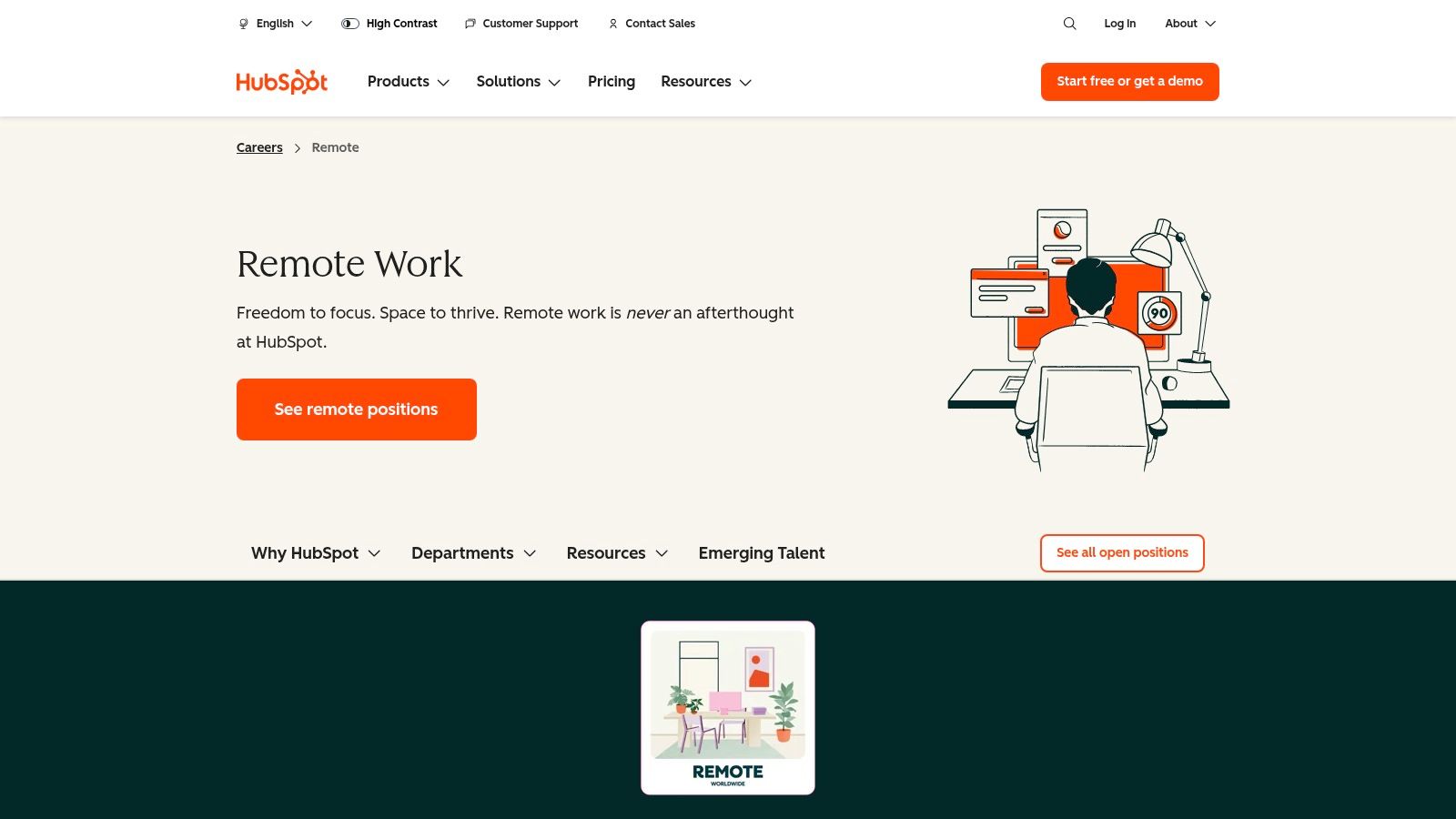
HubSpot is one of the clearest examples of a company that treats equipment as part of the job, not an afterthought. Its remote path ships company hardware and peripherals to employees, including a laptop, monitor, headset, keyboard and mouse, plus cables. That matters if you want to avoid piecing together a setup yourself or waiting weeks after onboarding to be productive, which is exactly why it stands out among remote jobs that provide equipment.
What makes the support useful
The strongest part of HubSpot’s model is that it combines hardware with an ongoing monthly stipend for remote and flex workers. That’s better than a one-time gift card because remote work creates recurring costs, and one-off support disappears fast. HubSpot also runs virtual onboarding, which makes the logistics feel coordinated instead of improvised.
Practical rule: if you want to start strong, prioritize employers that ship the core gear and also keep paying for the remote setup after week one.
The trade-off is flexibility. HubSpot says you must work from the country or entity where you’re hired, so it’s not the best fit if you plan to move around a lot. It does allow mobility for up to 90 days where authorized, which is useful, but it’s still a bounded policy, not a free-roaming one. Read the role language carefully so you don’t confuse a supportive remote policy with location independence. See HubSpot’s remote careers page for the current details.
2. Buffer
Buffer has one of the cleanest public benefits stories in the remote market, and that transparency is a clear advantage. It provides a new laptop on day one, then refreshes equipment over time, which is the kind of setup remote workers feel in day-to-day productivity. Add in a one-time home-office setup stipend and an ongoing tech accessory allowance, and you get a policy that covers both launch and maintenance.
Why Buffer’s model works
The best part of Buffer’s approach is the mix of immediate hardware and ongoing support. A lot of employers stop at the laptop. Buffer goes further by recognizing that remote work needs accessories, replacements, and a decent starting environment.
That said, Buffer is a smaller company, so open roles can be limited compared with larger employers. The benefit structure is strong, but you may not always find the exact role or team you want. If you’re patient and you value a public, readable benefits philosophy, Buffer is a smart target. Its journey and benefits page is worth checking if you want a company that publishes the remote package instead of hiding it inside a recruiter call.
3. GitLab
GitLab is built for people who want the policy details spelled out before they apply. It provides a company-issued laptop with centralized management and a $1,500 USD home-office stipend for new hires, backed by one of the most detailed public handbooks in remote work. For anyone comparing remote jobs that provide equipment, GitLab is a strong benchmark because the support is both generous and documented.
Detailed policies matter here
The advantage is clarity. GitLab’s handbook covers IT, laptop management, refreshes, and equipment ownership rules, which reduces the usual guesswork around who pays for what and what happens when something breaks. That’s a real benefit for anyone who wants to avoid surprise expenses after onboarding.
The drawback is that detail cuts both ways. Policy nuances can vary by category, and equipment ownership rules can get complex if you’re not used to reading handbook language carefully. Still, that complexity is easier to handle than vague “remote-friendly” language with no actual support.
If you care about legal and policy fine print in remote work, it also helps to read a remote worker legal guide before you sign anything.
GitLab is especially strong for people who want a laptop, a real setup budget, and public rules they can verify before accepting the offer. Its handbook is the place to check for the latest equipment terms.
4. Automattic
Automattic has a very different flavor from a stipend-heavy employer. It’s fully distributed, and it purchases and ships a laptop customized to your preferences during onboarding. That makes it appealing if you want hardware selected as part of the job, not an afterthought you’re expected to solve yourself. Among remote jobs that provide equipment, this is one of the most straightforward shipped-gear models.
A fit for role-based hardware needs
The main upside is that the laptop is not just “provided.” It’s configured around the role, which matters in product, community, and technical work where software stacks vary widely. A custom setup reduces the friction of getting started and keeps teams aligned around a managed system.
The downside is that public benefits pages lean more toward the overall package than a crisp stipend list. If you want a line-by-line equipment budget, you may not get it here. That doesn’t make the policy weak, but it does make it less numerically explicit than some competitors.
Automattic’s benefits page is still worth a close look if you care more about guaranteed hardware and a mature remote infrastructure than about a detailed reimbursement menu. The company’s distributed model has been around long enough that the equipment policy feels like part of the operating system, not a recruiting gimmick.
5. Dropbox
Dropbox’s “Virtual First” model is useful if you want remote work that still leaves room for occasional in-person collaboration. The company offers a home-office setup stipend and also runs optional coworking Studios, which gives distributed workers a place to meet when they need it. That combination makes Dropbox appealing to people who want support for both focus time and team connection.
Flexibility without forcing office life
Choice is the standout benefit here. Some remote employers treat in-person collaboration as an obligation. Dropbox treats it as an option, which is much easier to live with if you’re balancing deep work, family routines, or a long commute profile. A stipend helps you build your own space, while Studios give you an escape hatch when home gets too quiet.
The caution is that the details aren’t always centralized in one neat package. Stipend specifics can be spread across pages and posts, so you’ll need to do a little digging before you assume the support package is identical across every role. That’s normal for a large company, but it still matters when you’re comparing offers.
If your home-office process feels messy, a practical remote productivity guide can help you think through the gear and workflow side before you accept an offer. Dropbox’s Virtual First page is the key place to start.
6. Atlassian
Atlassian’s Team Anywhere program is built for people who want an ongoing allowance instead of a one-time setup bonus. It provides a monthly remote-work allowance and ergonomic support, which is a smart design for distributed workers whose home-office needs don’t stay static. That makes it one of the better options if you care about maintenance, not just onboarding.
Monthly support beats a one-off check for some workers
A recurring allowance is valuable because remote work costs don’t stop after your first month. You may need better peripherals later, a replacement accessory, or support for ergonomics once you’ve spent real time at the desk. Atlassian’s model acknowledges that.
The catch is location. Eligibility is tied to countries where Atlassian has entities, and allowance amounts can vary by location. That means the policy can look great on paper, but your actual package depends on where you’re hired. If you’re mobile or internationally minded, read the country language carefully before you get attached to the role.
Atlassian is a strong match for candidates who want transparent global guidelines and support that continues beyond setup day. Its Team Anywhere page gives the clearest picture of how the allowance and travel flexibility work in practice.
Bottom line: recurring support is often more useful than a flashy one-time stipend if you expect your setup to evolve over time.
7. Sprout Social
Sprout Social is one of the most straightforward options if you want the numbers in plain sight. Its benefits page lists a one-time $550 USD home-office stipend and $50 per month for internet, which gives job seekers a concrete way to compare the package against their actual costs. For social-media candidates especially, that kind of clarity is rare and useful.
Explicit stipend language helps applicants
What makes Sprout Social stand out is visibility. You’re not guessing whether there’s remote support. You can see the stipend and internet reimbursement language up front, and some postings also mention high-quality equipment. That makes it easier to judge whether the role is set up for home-based execution.
The downside is that the package can vary outside the U.S., and benefit details can shift by role or location. So if you’re applying internationally, don’t assume the posted U.S. benefits carry over unchanged. The company does a good job of being explicit, but explicit still doesn’t always mean universal.
For candidates in social media, this is a strong practical fit because the support matches the work style. If you need a second screen, headset, and steady internet, the structure is visible. Check Sprout Social’s benefits page and use that as your baseline before you apply.
If you’re building a collaboration workflow for the role, a social media teamwork guide can help you think through the practical side of remote execution too.
8. Help Scout
Help Scout is a good example of a company that pairs hardware with a home-office stipend instead of forcing applicants to choose between the two. Its job listings commonly reference a Mac laptop or equivalent, plus a home-office setup stipend that’s often cited around $1,500, and some roles mention coworking stipends as well. That mix makes it especially attractive if you want to be productive quickly without self-funding the basics.
The combo approach is the real value
The advantage of Help Scout’s policy is that it covers both the device and the setup. A laptop alone doesn’t solve the whole problem. You still need a usable desk environment, and the stipend helps close that gap.
The trade-off is variation. Stipend amounts and coworking support can differ by location or role, and some of the specifics are confirmed most clearly in current job ads. That means you should always verify the exact posting you’re reading instead of assuming every Help Scout opening includes the same package.
For remote workers who value consistency, Help Scout’s policy feels mature. It doesn’t overpromise. It gives you the hardware baseline and a setup budget, then leaves room for role-specific differences. Visit Help Scout’s site to review the current openings and the language attached to each one.
9. Contentful
Contentful is a strong pick if you like seeing reimbursement terms written directly into the job description. Recent postings mention a new-hire office equipment stipend, a monthly communications stipend, and in some roles, phone hardware reimbursement. That makes it one of the more transparent options for content, marketing, and community professionals who want support beyond the laptop.
Why explicit stipend lines matter
The practical win here is visibility. When a posting names equipment and communications support, you can compare the role more accurately against your actual home setup. That matters if your work depends on reliable audio, call quality, or regular phone use for coordination.
The downside is consistency. Equipment and stipend specifics may differ by country, and the details are often role-dependent. So while Contentful is useful for people who want the support spelled out, you still need to read the posting carefully before making assumptions about the full package.
This is a good fit for candidates who care about content operations and don’t want to spend the first week chasing down missing tools. Review Contentful’s careers page and look for the current posting language, since that’s where the most accurate support details usually appear.
10. Shopify
Shopify’s Digital by Design approach makes it a familiar name in remote hiring, and its equipment support reflects that. The company provides company-issued laptops and has run home-office stipend programs, with support that also points toward sustainable home-office solutions. For candidates who want a large employer with frequent openings across marketing and social roles, that combination is hard to ignore.
Large-company scale has real advantages
The upside is obvious. Bigger remote employers often have clearer onboarding workflows, more repeatable equipment processes, and broader job volume. Shopify benefits from that scale, so if you want a company with established infrastructure, it belongs near the top of your search list.
The trade-off is timing. Stipend specifics can vary by team, timing, and location, which means the support package isn’t always identical across roles. That’s normal in a large organization, but it still makes direct comparison important. Don’t assume the last Shopify role you read tells you everything about the one you’re applying for now.
If you want a remote employer with real operating experience, Shopify is a credible option. Its careers page is the best place to check for current openings and any equipment language attached to them.
10 Remote Employers Offering Equipment, Comparison
| Company | ✨ Core perks | ★ Remote support | 💰 Value / Allowance | 👥 Target audience | 🏆 Unique selling point |
|---|---|---|---|---|---|
| HubSpot | ✨ Company laptop + peripherals, monthly stipend, virtual onboarding | ★★★★ | 💰 Monthly stipend + shipped equipment | 👥 Remote social/media roles (location-authorized) | 🏆 Documented equipment list & ongoing monthly support |
| Buffer | ✨ Laptop day one (refreshes), one-time setup stipend, annual accessories allowance | ★★★★ | 💰 New laptop + one-time + annual allowances | 👥 Social/media professionals at small, remote teams | 🏆 Public, transparent remote benefits |
| GitLab | ✨ Company laptop, $1,500 new-hire home-office stipend, public handbook | ★★★★★ | 💰 $1,500 + company-issued laptop | 👥 Fully remote hires seeking clear policies | 🏆 Extremely detailed public handbook & stipend |
| Automattic | ✨ Role‑configured laptop shipped on hire, mature remote infra | ★★★★★ | 💰 Company‑purchased, role‑configured hardware (amounts not listed) | 👥 Distributed product/community & social roles | 🏆 Guaranteed, role‑tailored hardware and distributed practices |
| Dropbox | ✨ Home-office stipend, optional coworking “Studios”, distributed workflows | ★★★★ | 💰 Stipend (varies) + optional studio access | 👥 Distributed teams wanting optional in-person spaces | 🏆 Long-term “Virtual First” commitment + Studios |
| Atlassian | ✨ Monthly remote-work allowance, ergonomic support, travel flexibility | ★★★★ | 💰 Ongoing monthly allowance (varies by location) | 👥 Global remote-eligible employees | 🏆 Transparent global guidelines & monthly support |
| Sprout Social | ✨ $550 one-time home-office stipend, $50/mo internet reimbursement (US) | ★★★★ | 💰 $550 one-time + $50/mo (US) | 👥 Social media professionals (US-focused roles) | 🏆 Explicit stipend & internet reimbursement for social roles |
| Help Scout | ✨ Mac (or equivalent) laptop + commonly cited ~$1,500 stipend, coworking options | ★★★★☆ | 💰 Mac + ~ $1,500 home-office stipend | 👥 Remote support/product & related social roles | 🏆 Clear hardware + generous stipend combination |
| Contentful | ✨ New-hire equipment stipend, monthly communications stipend, phone reimbursements | ★★★★ | 💰 New-hire stipend + monthly comms allowance (role-dependent) | 👥 Marketing, content & social professionals | 🏆 Explicit stipend lines in job postings |
| Shopify | ✨ Company-issued equipment, home-office stipend programs, sustainability support | ★★★★ | 💰 Laptops + variable stipend programs | 👥 Marketing & social teams at scale | 🏆 Large org with frequent social/marketing openings |
Find Your Perfect Fit on RemoteProfitly
The smartest way to compare remote jobs that provide equipment is to look past the word “remote” and focus on the support model. A shipped laptop gets you working fast. A one-time stipend helps you build your setup your way. An ongoing monthly allowance is usually better for long-term comfort, especially if you care about peripherals, internet, or ergonomics. The best fit depends on whether you want speed, flexibility, or recurring support.
The companies above all do something useful, but they solve different problems. HubSpot and Automattic are strong if you want hardware delivered to your door. Buffer and GitLab stand out if you like transparent benefits and clear public policies. Atlassian and Sprout Social are appealing when recurring support or explicit stipend language matters most. Help Scout, Contentful, and Shopify sit in the middle with practical, role-dependent support that still beats a bare-bones remote listing.
If you’re applying for remote social media, content, community, or analyst roles, don’t waste time sorting through vague postings that hide the setup costs. Browse current openings on RemoteProfitly, compare the equipment policy alongside the role itself, and target employers that treat your home office like part of the job. For a wider view on working remotely while traveling, see this guide on remote careers for travelers.